
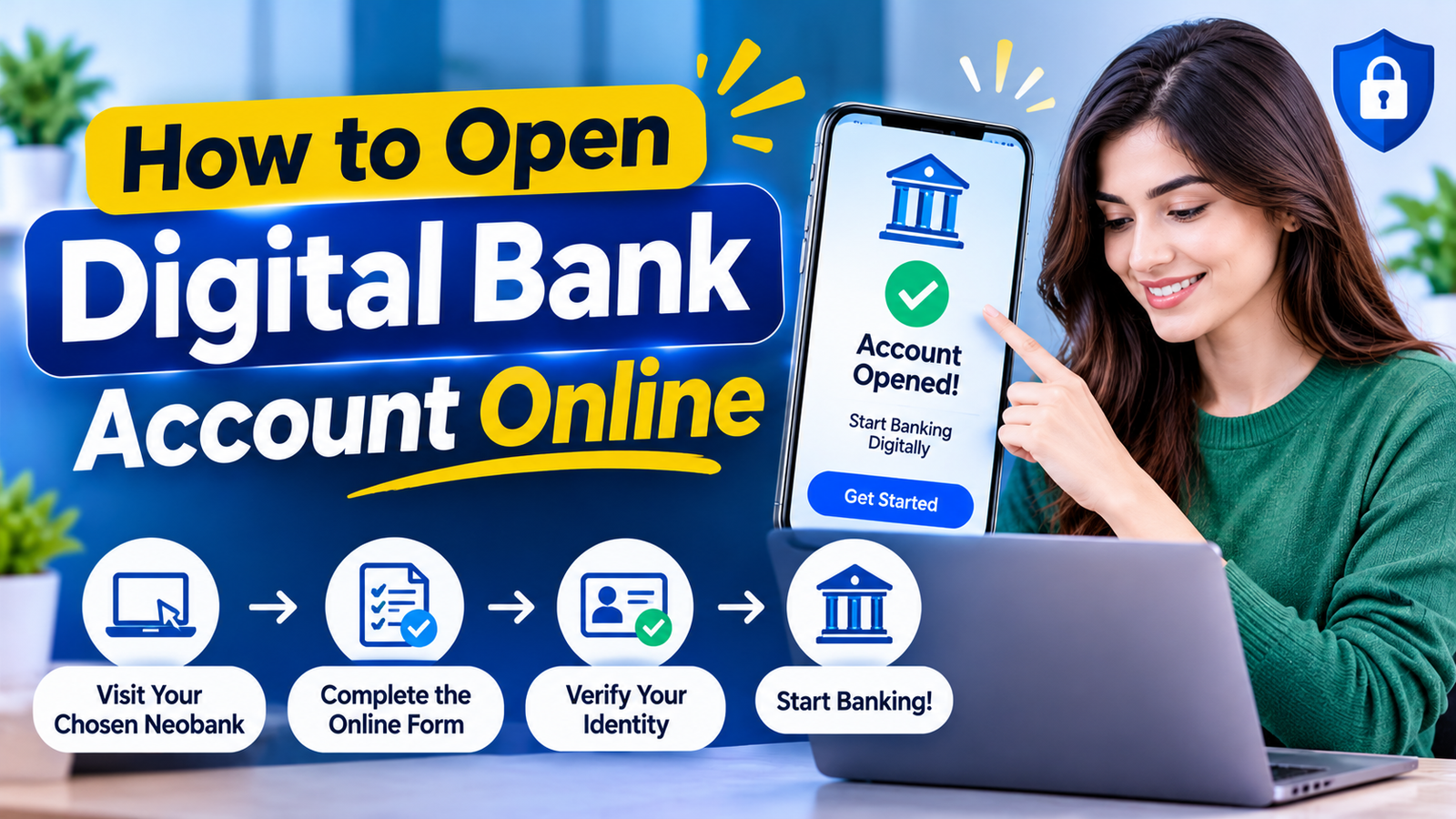
The quick answer is: A digital bank account in the US can be opened by selecting a provider that offers FDIC insurance and applying online or via its website. You’ll input your information, confirm your identity through a government ID and Social Security number, and add money to the account. Most applications require between 5 to 15 minutes to be completed and many accounts are approved the same day.
Once, people were required to visit a branch to open up their bank accounts. Today, millions of Americans open a checking and savings account from their phone or laptop. It’s fast, but it’s important to get the details right. The service provider will influence the cost, the deposit security and the ease of contact with a person when things go wrong.
This guide will outline the process, the requirements needed prior to getting started, and how to compare providers. It also includes risks as well as mistakes that lead to delays. As you follow, you’ll come across a realistic example with distinctly labelled hypothetical numbers. All of the above is general education and not personal financial advice.
What is a Digital Bank Account?
A digital bank account is a checking, savings or other deposit account that you open and operate primarily online or on a mobile device. A branch is not really a place where you would typically go. Customer service is offered via chat, phone or email instead.
The definition applies to 2 types of providers:
- Online-only banks. These are chartered banks that do not have (or have very few) physical branches. They are subject to the same regulations as other US banks and have FDIC coverage.
- Neobanks and fintech apps. These firms construct the application and customer knowledge. Usually they collaborate with a chartered bank holding your funds. The bank is typically not the neobank.
- Traditional banks’ digital arms. Other banks and credit unions allow individuals to open accounts entirely online, as well. The app experience, plus the ability to access it from branches.
This disparity is more significant than many realize. If the chartered bank fails, your money is protected by FDIC insurance. Does not address issues related to the fintech company itself. We will be coming back to that later.
What is the Online Account Opening Process?
The process for opening an electronic account is standardized. While the content of the steps is similar, some providers use more screens and other words. The process is mainly because of the requirement in the United States law to verify the identity of banks’ customers.
The standard sequence is:
- Select a provider and an account type. Choose to check, savings or checking and savings.
- Start the application. You provide your Name, Date of Birth, Address, Phone Number and Email.
- Enter your ID number. The Social Security number (SSN) is usually the first thing that people enter when they are filling out their forms. Some providers will accept an Individual Taxpayer Identification Number (ITIN).
- Verify your identity. You can upload a photo of your driver’s license or passport, take a selfie or answer security questions.
- Re-read and consent to disclosures. They are the fee schedule, account agreement, and privacy notice.
- Wait for approval. Numerous approvals are immediate. Others may take 1 to several business days, if a human reviewer steps in.
- Fund the account. Initial deposits are made via linking with another bank, wire transfer or a check deposited within the app.
- Set up access. When it arrives, you set up the login, enable multi-factor authentication and enable the debit card.
Why Banks Ask for So Much Information
Banks need to undertake a Customer Identification Program, in accordance with federal rules. They are required to obtain and confirm basic identification details under the USA PATRIOT Act and the Bank Secrecy Act. That’s at least your name, date of birth, address, and identification number.
Banks also evaluate if you’re on databases that they use to screen applicants. The most popular ones are ChexSystems and Early Warning Services. If you had an account closed by a bank in the past because you had negative balances that were not paid or because of suspected fraud, you might be facing delays or have your account closed. You can request a copy of your report from each reporting agency to examine.
Is a Credit Check performed by Digital Banks?
With many digital banks, a hard credit inquiry is not required when opening a basic checking account. Others use a soft pull, or bank history databases. Read the application disclosures, since a hard inquiry can impact your credit score. If the page does not contain any information, inquire with provider prior to submitting.
What do you need to apply for?
Collect all documents beforehand. The most common cause of an application to stall is missing one item. It also makes the process so much quicker if everything is prepared beforehand.
Typical requirements:
- An up-to-date government issued photo ID (such as driver’s license, state ID or passport).
- Your Social Security number or your Individual Taxpayer Identification Number (ITIN).
- The address must be a US residential address (some providers will not accept PO boxes as their primary address)
- A cell phone and email address to contact them.
- If the bank needs a selfie or ID photo, there’s a device equipped with a camera.
- A funding source is another bank account’s routing and account numbers.
Eligibility basics:
- Usually, one has to be 18 or older. It is usually required for minors to have a joint or custodial account with an adult.
- You don’t need a citizenship document to open an account with non-citizens; they may use their passport and visa documents along with their ITIN or SSN to open an account. This depends on the provider and so please check with them.
- Some banks will only accept applicants who live in certain states, or who are a US citizen.
Why is it important to pick the right Digital Bank?
What you put in your account is the center of your finances. It can be your paycheck, bills, and savings all sent through it. If the fit is not correct, it may cost you extra money in fees or when dealing with a “Fraud” issue with the dealer.
There are three factors that are most important:
Deposit protection. It’s important to know who owns your money.
Total cost. The cost of monthly fees, overdraft and ATM fees can quickly mount up.
Reliability. Some providers are not safe to use, and may have outages, frozen accounts, and slow customer service.
It takes approximately 30 minutes to compare options and make a good choice. This time can save you a lot of fees and hassle.
Before you open an account, you have to take certain factors into account.You have to consider certain factors before you open an account.
Is this Account FDIC-Insured?
Deposits at member banks are insured by the Federal Deposit Insurance Corporation (FDIC) up to $250,000 per depositor, per bank, per ownership category. It will safeguard your interests in case the bank’s failure. The National Credit Union Administration (NCUA) provides similar protection for credit unions.
To check, see if the thickness of the walls is consistent.
- Check the provider’s website for the FDIC or NCUA logo.
- Use FDIC’s BankFind to search for the provider’s partner bank.
- Verify that the bank name of the partner bank is the same as the bank where your money is deposited.
Be aware that coverage is dependent upon the setup of the account. How quickly you could retrieve the money in the event of a failure is dependent on how the money is kept in the account and record-keeping rules at a partner bank if a fintech pools customer has combined the money in that bank account. View the provider’s disclosures, and look for current information in the FDIC’s official guidance.
What Are the Fees?
There are lots of digital accounts that offer no monthly fees. However, take note of these other expenses:
The amount of money that the account does not have.The amount of money the account lacks.
- Out-of-network ATM fees
- Wire transfer fees
- Fees for paper checks or replacement card.
- Minimum balance requirements
- Fees for expedited transfers
Don’t just look at the marketing page, always read the fee schedule.
What is the interest rate of the account?
Savings accounts will give you an annual percentage yield (APY), which is the amount of interest you’ll earn over 12 months based on the compounding. Rates are subject to change. Today’s high rate does not necessarily mean next month’s high rate. Check the provider’s site for current APYs and consider these an “snapshot” of current rates.
What are Deposit and Withdrawal amounts?
Test the way you’re going to transfer money:
- Cash deposits. There are many online-only banks that do not have a branch location. Some employ retail partner networks or ATMs, while some will charge for it.
- Check deposits. Daily limits for mobile check deposit are commonplace and vary.
- Transfers. Typically, ACH transfers will take 1-3 business days. A few providers provide quicker choices.
- Direct deposit. A lot of employers accept it and some make an early paycheck offer. The timing is based on the time of the payment by your employer.
How good is support?
The level of services that digital banks provide is different. Check for 24/7 chat or phone support, dispute resolution procedures, and a real mailing address. Listen to recent feedback from customers, and remember that the reviews online are not necessarily the most reliable ones.
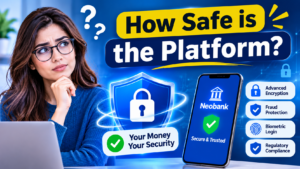
How safe is the platform?
Look for these security features:
- Multi-factor authentication
- Biometric logon (using fingerprint or face recognition technology)
- Locks and unlocks the card in seconds without any delay.
- Real-time transaction alerts
- Clear fraud-reporting steps
The federal Electronic Fund Transfer Act and its regulation E provide some protections to consumers for unauthorized electronic transactions. Generally, the faster you can report a problem, the better. Look for up-to-date information on the CFPB’s consumer resources.
Advantages and Disadvantages
Benefits
- Convenience. Open for applications and deposits anytime, anywhere.
- Lower costs. Many providers have fewer fees without having expenses on their branches.
- Competitive savings rates. Note that while some online banks pay higher interests than conventional branch banks, this is not always the case.
- Modern tools. Typical include budgeting features, instant alerts, and easy card controls.
- Fast setup. Processing time for approval may take minutes.
Risks and Trade-offs
- Limited cash services. There are more obstacles or costs to depositing physical money.
- No in-person help. May take longer to solve complex problems without a branch.
- Neobank complexity. The chartered bank isn’t your provider, you are depending on a partner to provide deposit insurance.
- Account freezes. Legitimate accounts can sometimes be restricted from use by automated fraud systems. It may take time to recover.
- Variable rates. APYs are not guaranteed and may be reduced at any time.
- Cybersecurity exposure. Online banking customers are attacked by phishing and account takeover attacks.
Digital banking is an appropriate option for many consumers, but not for all. A hybrid option might be better suited if you are planning to put in a ton of money or just like meeting in person.
Directions: Open an Account Step by Step
Imagine a situation. The numbers below are fictional and not representative of any provider.
Maria is a freelance designer located in Austin, Texas, and would like to have an account for her business income. She owns a driver’s license, her SSN and has an existing credit union account.
Step 1: Compare options (30 minutes). Maria gives 3 providers.Maria writes about 3 providers. She reviews their FDIC status, fee schedule and daily mobile deposit cap. One charges her a $5 per month fee, unless she maintains an account balance of $1,000, then it is crossed off.
Step 2: Apply (10 minutes). She puts her information in her computer, takes her license photo with her cell phone and takes a selfie.
Step #3: Wait for approval (hours). It alerts for the address miss-match and her ID. She posts an updated utility bill, and receives approval the following morning.
Step 4: Deposit in the account (1-3 business days). She connects her credit union and sends $500 to her account. Funds are received in 2 business days.
Step 5: Set up security (10 minutes). Maria activates multi-factor authentication, sets up transaction notifications, and deposits her debit card into her phone’s wallet as soon as it arrives.When it arrives, Maria sets up multi-factor authentication, transaction alerts and adds her debit card to her phone wallet.
Sample timeline summary:
| Stage | Estimated Time |
| Research & comparison | 30 to 60 minutes |
| Application | 5 to 15 minutes |
| Approval | Minutes to a few days |
| First Deposit available | 1 to 3 business days |
| Debit card arrives | Often 5 to 10 business days |
The actual time of her real life would depend on her provider, her documents and her verification results.
Checklist for Beginners: How to Get Started
To prevent any “surprises” when opening a digital bank account online, follow this checklist step-by-step.
- Define your goal. Determine the need for a checking account, a savings account or a business account.
- Narrow down your choices to 2-3 providers. Have at least one bank online and one with a traditional bank and a digital option.
- Verify insurance. Check coverage by FDIC or NCUA official look-up.
- Read and understand the fee schedule and account agreement. Check the overdraft and transfer restrictions.
- Gather your documents. Have identification, social security number, and address verification.
- Use a provider’s website or app to apply. Find the website address and enter it or download it from your official application store.
- Always use a secure connection. Don’t use public wi-fi when you have to enter information.
- Top up the account with a small contribution. Test deposits and transfers before sending off your entire payroll.
- Set up alerts and multi-factor authentication.
- Make slow and steady changes to direct deposit and auto pay. If it works, cover up your paycheck and regular expenses.
To make sure that a provider is legitimate, you can follow a few steps:
Scammers develop phishing web pages and apps. Before putting in personal information:
- Use the BankFind tool on the FDIC’s website or a NCUA Locator to see if the bank’s name is listed.
- Check the domain name of the site is the same as the provider’s official materials.
- Beware of offers that offer unusually high rates or huge amounts of cash for signing up with them.
- Do not give others your login information, PIN or one time code if they contact you.
Common pitfalls and errors
- Assume that all apps are banks.3. Make the assumption that all apps are banks. Not all fintechs are banks. Always check which chartered bank has your money.
- Not referring to the fee schedule. Even if you have a “free” account, fees may apply for withdrawals, wires or ATM usage.
- Following the promotions without understanding them. There are frequently minimum deposit and/or holding period requirements for bonuses. In addition, bonus wages may be subject to income tax, so be sure to consult with the Internal Revenue Service (IRS).
- Moving everything immediately. Making a one-time change to your paycheck and bills can lead to missed payments if the change doesn’t take effect on time. Move in stages.
- Exceeding insured limits. If the balance in the account is over $250,000 in total, per bank, per ownership category, the FDIC will not cover the amount. Take advantage of the FDIC’s Electronic Deposit Insurance Estimator or seek guidance from a professional in complicated cases.
- Using weak security. Weak passwords and the lack of multi-factor authentication increase the risk of account takeover.
- Entering mismatched information. A typo, nickname or old address may result in manual check. Fill in all information as it is on your ID.
- Closing old account prematurely. Maintain the current account until the new one has done a couple full billing cycles.
- Forgetting about taxes. Interest is usually considered income and therefore taxable. Usually, banks will report interest on Form 1099-INT at the amounts above a certain threshold, but you must report all taxable interest. Check with the IRS or tax expert for existing rules.
Frequently Asked Questions
What is the time taken to open a digital bank account?
Your application will take 5 to 15 minutes to complete. Approval may be immediate, but some banks can take up to a couple of business days if they require further verification. Funding and card delivery will take a couple more days.
Are online banks safe?
Yes, provided you are using a legitimate, regulated provider and are taking basic security measures. Verify the FDIC or NCUA coverage, ensure that it is a secure connection, and enable multi-factor authentication. Keep an eye out for emails or app imitations of actual banks.
May I have an online bank account without a Social Security number?
Sometimes. Certain banks will accept a non-citizen’s Individual Taxpayer Identification Number (ITIN) or other documentation. Depending on the provider, there are different rules, so please find out the requirements before applying and contact the customer support in case you are having difficulties with the website.
Are online banks backed by the Federal Deposit Insurance Corporation (FDIC)?
Chartered online banks are insured by the FDIC. Neobanks typically partner with the banks that bear the insurance. The insurance amount per person per bank is $250,000 per ownership category. Check the correct bank where your money is.
Will having a bank account impact my credit report?
Usually not. Checking and savings accounts are not credit accounts. But, there are some banks that conduct credit checks, and a hard inquiry could have a minor, temporary impact. Review the application disclosures. Also remember that if the overdrafts are not paid, they will be collected and could have an impact on your credit.
May I get a digital banking account with poor credit or a banking issue?
Often yes. There are many accounts that are not reliant on your credit score. But closures reported in the past that are not found in the banking-history database can result in denial. A second chance account might be available at some institutions for this purpose, and is often restricted in functionality.
Can I have more than one digital bank account?
Yes. Many people have two accounts, one for their day-to-day expenses and one to save money. Just be sure that each account does not exceed the limits of insurance and that you have access to all of these accounts to look for any unusual activity.
What if I don’t get my loan approved?
Ask the bank why, first. They may be due to mismatching names, misspelling addresses, or bank-history databases. You can obtain your reports from the agencies, fix errors, re-apply or look for another agency.
Final Takeaway
While opening an account online used to take a bit longer, the stakes are the same. You are deciding where your money is to be housed. Check FDIC or NCUA Insurance, read the fee schedule, and prepare your documents before you begin. Next, try it out on the account with a small amount of money and add multi factor authentication.
Opening an online bank account is as simple as practicing three habits: checking who is the provider, knowing the costs, and securing your log-in. By following their advice you will avoid most delays and surprises. Details, such as rules, rates and fees are subject to change, so please check current information from the provider and official sources before applying.